SC-300: Predict your score.
Know what to study next.
See your predicted score, follow a study plan based on your answers, and revisit topics you're starting to forget. It all runs on your device.
448 practice questions
AI score prediction
100% offline
Download free
iPhone & iPad · Free to startOn your Mac? Scan to install
SC-300Microsoft Identity and Access Administrator
SC-300 · 30 days left ›
PREDICTED786 ±37✓ Exam Ready · 87% confidence
SC-300 Practice Questions & Exam Prep — Microsoft Identity and Access Administrator
Practise the identity decisions behind SC-300: who can sign in, which applications they can reach, and when their access should end. On iPhone or iPad, use Azure Mastery's readiness estimate and study plan to focus your next session, then revisit concepts as they fade. Study offline with on-device processing, or enable private iCloud sync to carry your progress between devices.
The exam
What is the SC-300 exam?
SC-300 is the Microsoft Certified: Identity and Access Administrator Associate exam — the credential hiring managers expect when posting "Identity Administrator", "IAM Engineer", "Microsoft Entra Administrator", or "Identity and Access Manager" roles.
SC-300 covers the day-to-day of operating Microsoft Entra ID at scale — identities, authentication, Conditional Access, workload identities, and identity governance. It pairs with SC-900 on the way in, and is one of the prereqs for SC-100 (Cybersecurity Architect Expert).
SC-300 is hands-on and Entra-deep. It validates that you can:
Implement and manage user identities — cloud-only, hybrid, guest
Design and operate Conditional Access and Microsoft Entra ID Protection
Plan workload identities — service principals, managed identities, app registrations, OAuth flows, app proxy
Run identity governance via entitlement management, access reviews, and Privileged Identity Management (PIM)
Expect scenario questions that show you a Conditional Access policy JSON or an access-package configuration and ask what you'd change.
Microsoft updated the SC-300 skills outline on 27 April 2026. Every question in Azure Mastery's SC-300 bank is mapped to the current outline — no leftover questions on retired services. Read the official outline at learn.microsoft.com.
Questions40–60 multiple choice
Duration100 minutes (120 min seat)
Pass score700 / 1000
CostUSD $165 (≈ £128 UK)
ValidityRenew annually (Associate)
FormatOnline or test centre
Skills measured · 27 April 2026
SC-300 exam objectives
SC-300 spans four domains, weighted by Microsoft's 27 April 2026 update. Each summary below follows the official skills outline; the counts are the questions in the app tagged to that domain.
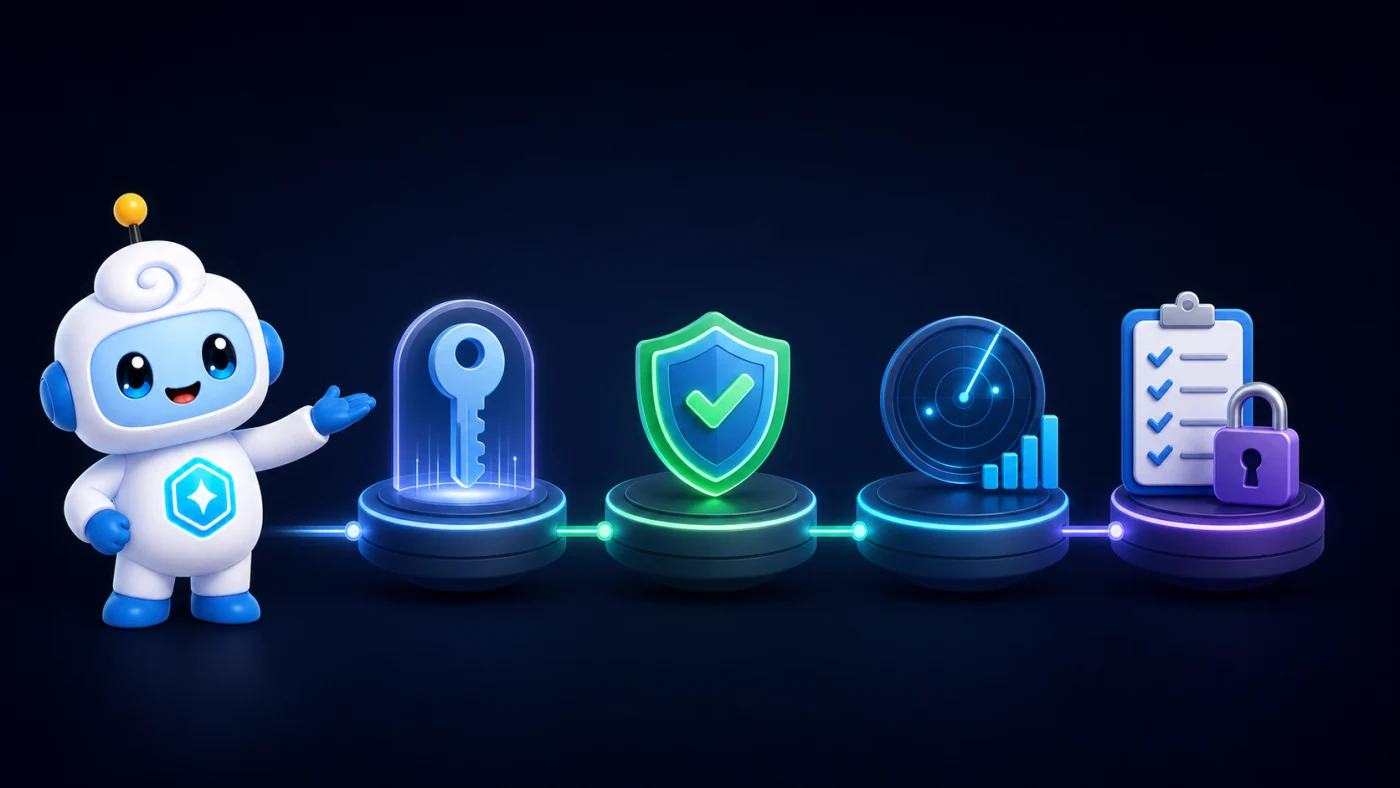
Security skill mapIdentityProtectDetectGovern
Implement and manage user identitiesPublished weight 20–25%
106 exam-scoped practice questions in the app
Explore Identities topics
Configure and manage a Microsoft Entra tenant
Create, configure, and manage Microsoft Entra identities
Implement and manage identities for external users and tenants
Implement and manage hybrid identity
This domain tests picking the correct hybrid-identity method, PHS, PTA, or federation, for a stated resilience requirement.
Candidates know all three sync methods exist but default to whichever they've used before, not the one the scenario needs.
Match PHS to on-premises-outage resilience and PTA to real-time on-premises validation before answering any hybrid-identity question.
Implement authentication and access managementPublished weight 25–30%
127 exam-scoped practice questions in the app
Explore Access topics
Plan, implement, and manage Microsoft Entra user authentication
Plan, implement, and manage Microsoft Entra Conditional Access
Manage risk by using Microsoft Entra ID Protection
Implement Global Secure Access
This domain covers the widest surface: authentication methods, the full Conditional Access lifecycle, ID Protection, and Global Secure Access.
Security defaults and Conditional Access policies don't layer; turning on the custom policy set means switching security defaults off.
Confirm a tenant runs security defaults or custom Conditional Access, never both, before reasoning about a described policy.
Plan and implement workload identitiesPublished weight 20–25%
107 exam-scoped practice questions in the app
Explore Workload topics
Plan and implement identities for applications and Azure workloads
Plan, implement, and monitor the integration of enterprise applications
Plan and implement app registrations
Manage and monitor app access by using Microsoft Defender for Cloud Apps
Choosing between managed identities, service principals, and app registrations for an application scenario is the core test here.
Candidates from a pure end-user background underestimate this domain and confuse a managed identity with a manually created service principal.
Pick a managed identity whenever a scenario wants to avoid managing secrets for an Azure-hosted workload.
Plan and automate identity governancePublished weight 20–25%
108 exam-scoped practice questions in the app
Explore Governance topics
Plan and implement entitlement management in Microsoft Entra
Plan, implement, and manage access reviews in Microsoft Entra
Plan and implement privileged access
Monitor identity activity by using logs, workbooks, and reports
This domain tests the full governance lifecycle: entitlement management, access reviews, PIM, and identity activity monitoring.
PIM eligibility often gets treated as an active assignment, though eligibility alone grants no standing access.
Remember an eligible PIM assignment needs activation before permissions apply; only an active assignment applies them immediately.
Operational practice
Run an SC-300 identity-control lab loop
Use a disposable development tenant to practise the evidence trail behind an identity decision. The useful skill is not memorising a portal path; it is proving which identity, policy, permission, and governance object produced the result.
1. Separate attribute definition from assignment
Create a small custom security attribute set, define one constrained attribute, and assign a permitted value to a test user.
Record which role can manage the definition and which role can assign values within that attribute set.
Before saving, identify the schema choices that cannot be changed later; then remove the test assignment and note what remains in the directory.
2. Explain a Conditional Access result from evidence
Build a report-only policy, predict its outcome with What If, and then make one controlled test sign-in.
Capture the user, target resource, conditions, and expected grant controls before the sign-in so the result can be compared with the prediction.
Use the sign-in record's Conditional Access details, request ID, and policy evaluation rather than guessing from the final error message.
3. Trace risky OAuth consent to a response
Review an app's requested permissions, publisher details, consent activity, and usage before deciding whether its access is expected.
Write an app-policy filter that isolates the behaviour you want to monitor, then distinguish the alert condition from the action taken after investigation.
Practise choosing among monitoring, revoking consent, and banning an app; each response needs evidence proportional to its impact.
4. Model an external access request end to end
Add a test connected organization, choose its identity sources and sponsors, and include it in an access-package policy.
Keep the connected organization, catalog, access package, and assignment policy as separate objects in your notes.
Compare proposed and configured connected organizations, then verify what the external requester sees and which approval evidence the sponsor receives.
Finish each exercise with a five-column evidence sheet: expected identity, target resource, predicted control, observed log, and cleanup action. That habit turns a vague identity scenario into an auditable chain you can reason through under exam pressure.
Common traps
Where SC-300 candidates slip
Five recurring misconceptions that trip up otherwise well-prepared SC-300 candidates, grounded in the current skills outline.
PHS, PTA, and federation behave differently during an on-premises outage
Candidates know the three hybrid-identity methods by name but don't connect each one to a specific failure mode.
PHS keeps sign-in working through an on-premises outage; PTA fails closed the moment its on-premises agent goes dark.
Pick PHS whenever a scenario specifically asks for resilience against an on-premises infrastructure outage.
Security defaults and Conditional Access can't run together
Candidates assume the two layer on top of each other rather than being mutually exclusive.
Turning on any Conditional Access policy requires switching security defaults off first, not layering the two.
Recognise that a tenant with custom Conditional Access policies has already left security defaults behind.
PIM eligibility grants no access until it's activated
Candidates treat an eligible assignment as equivalent to an active one with a shorter duration.
An eligible assignment needs activation, often through approval, before a single permission actually applies.
Pick eligible assignment plus activation requirements whenever a scenario asks for just-in-time access to a sensitive role.
A managed identity and a service principal solve the same problem differently
Both are application identities, so candidates treat them as interchangeable terms for the same thing.
Microsoft creates and rotates a managed identity's credentials automatically; a service principal leaves that work to you.
Pick a managed identity whenever a scenario wants to avoid managing secrets or certificates for an Azure-hosted workload.
A catalog and an access package are two different governance objects
Candidates use the two entitlement-management terms interchangeably when they describe different layers of the same feature.
A catalog groups resources available for request; a package is the specific bundle a user actually receives.
Configure the catalog first whenever a scenario asks you to add a new resource type available for request.
Designed for SC-300
How Azure Mastery helps you pass SC-300
Exam-specific practice
448 SC-300 practice questions, each tagged to one of the four official domains.
Coverage weights authentication and access management heaviest at 25–30%, the widest domain by feature surface.
Practise reading a Conditional Access policy or PIM assignment and deciding what's missing, the exam's real test.
Predicted score
Exam IQ forecasts your SC-300 score on-device after about 30 questions, with a confidence range.
It names the specific Conditional Access or PIM distinction actually holding your score back.
Spot which of the four domains is holding your overall score back before you book.
Adaptive study plan
Your plan leans hardest on authentication and access, the domain Microsoft weights heaviest at 25–30%.
Miss a Conditional Access or sign-in-risk question and the next session surfaces another authentication question first.
Master PIM eligibility versus active assignment across three sessions and the plan moves toward governance scenarios.
Knowledge decay
Four identity-admin domains span a lot of Entra surface; a policy mastered weeks ago fades fastest if unrevised.
Decayed topics surface a visible cue so you catch them before they slip for good.
Weak Spots sessions pull decayed Conditional Access or PIM topics back into rotation automatically.
Exam rehearsal
Rehearse a full 100-minute session where a submitted answer stays submitted, no flag-and-review flicking back.
The domain mix follows the published weighting, drawn from Azure Mastery's own original question bank.
Microsoft alone controls the live SC-300 interface and its exact question order.
Answer Coach
Untangles SC-300's near-identical pairs: PHS vs PTA, PIM eligible vs active assignment, managed identity vs service principal.
Get one wrong and Answer Coach names the exact requirement in the scenario that should have decided it.
Guidance always starts from an authored rationale; an on-device rewrite is optional and grounding-checked first.
Aura guidance
Aura recalibrates through your first week of SC-300 practice as your results come in.
Every session closes with a brief recap: what moved, what to focus on, your next step.
Private by design
Your SC-300 answer history, readiness gauge, and coaching notes stay private unless you opt into sync.
No Azure Mastery account exists to create, and nothing is tracked or sent to an external server.
iCloud sync, when you turn it on, uses your own private account only.
6-week study plan
Suggested SC-300 study plan
Build from user identities and authentication to application access and governance. Follow these six weeks of study blocks, then review your progress with timed practice.
Users, groups and tenants
Review tenant settings and identity types.
Practise bulk operations.
Explore dynamic groups and group writeback.
Hybrid and external identities
Compare Connect Sync, cloud sync, PHS, PTA and federation.
Review SSPR registration and B2B collaboration.
Explore lifecycle workflows.
Authentication methods
Compare FIDO2, Windows Hello and Authenticator.
Review MFA, password protection and smart lockout.
Distinguish security defaults from Conditional Access.
Conditional Access
Plan named locations and sign-in risk controls.
Compare session controls and app-enforced restrictions.
Review Defender for Cloud Apps integration.
Identity Protection
Investigate risky users.
Review risky sign-ins.
Compare remediation policies and thresholds.
Workload identities
Compare service principals and managed identities.
Distinguish system-assigned and user-assigned identities.
Review federated credentials.
App registrations and consent
Review OAuth 2.0 and OpenID Connect flows.
Compare application and delegated permissions.
Explore admin-consent workflows.
Application access
Review Application Proxy.
Compare SAML and SSO for legacy and gallery apps.
Explore Conditional Access for workload identities.
Entitlement management
Create access packages and catalogs.
Review assignment and lifecycle policies.
Plan separation of duties.
Access reviews and privileges
Review access to groups, apps and roles.
Practise PIM eligibility, activation and approvals.
Compare role reviews and access-review workflows.
Target weaker topics
Run Focus Weak Spots sessions.
Revisit authentication and access-management scenarios.
Review explanations for recurring mistakes.
Timed rehearsal
Complete two 100-minute Exam Simulator sessions.
Review each run carefully.
Plan further practice where needed.
Inside the app
Nine interactive practice formats, on iPhone
Azure Mastery has nine interactive formats for exam practice. The examples below show original SC-300 practice questions in Azure Mastery on iPhone and iPad. The exam simulator uses timed sessions with the published domain weights. Microsoft's live interface and question mix may differ.
What is the minimum number of owners required for a Microsoft 365 group?
1
0
2
3
Multiple choice
An original SC-300 practice question with one correct answer. The app explains every option after you answer.
Exam-specific sample
Which TWO conditions are part of a Conditional Access policy? (Choose 2)
Device platforms
Azure VM size
Bandwidth usage
Sign-in risk
Multi-select
An original SC-300 multi-select question. Select all the correct options to earn the mark.
All-or-nothing
Order the steps to create and safely roll out a Conditional Access policy.
⋮⋮1Define the assignments: target users, roles, and cloud apps
⋮⋮2Add the conditions, such as sign-in risk or device platform
⋮⋮3Configure the grant controls, such as require MFA and a compliant device
⋮⋮4Run the policy in report-only mode to assess impact
⋮⋮5Enable the policy for the targeted users
Drag-and-drop
An original SC-300 ordering question you can answer by touch on iPhone and iPad.
Interactive item
In a Conditional Access policy's Grant controls, which option requires users to complete multifactor authentication before access is granted?
Hotspot
An original SC-300 question with a visual prompt, designed for touch on iPhone and iPad.
Tap target
Fabrikam — Governing access for contractors Fabrikam onboards hundreds of external contractors who need bundled access to specific apps and groups for fixed engagements. Today access is granted ad hoc, rarely…
1How should Fabrikam bundle the access a contractor needs into one requestable…
2How should Fabrikam periodically recertify that contractors still need access?
3How should Fabrikam remove standing privileged access for admins?
4How can Fabrikam automate onboarding tasks when a contractor joins?
Case studies
An original SC-300 case study with several questions about the same requirements and environment.
Multi-question
✕Your answer: 1
✨ Answer Coach:A single owner is best-practice guidance rather than a platform-enforced floor; the service does not block creation or persistence of an ownerless group, so one is not the minimum it requires.
— grounded in authored certification guidance
Answer Coach
Answer Coach explains why the answer is correct and, where available, why each option is right or wrong. It helps you understand a mistake and remember the distinction. Read explanations after each question or at the end of a practice test. On supported devices, optional AI can reword a note on your device after checking it against the written guidance.
App exclusive
Frequently asked
SC-300 FAQs
PIM eligible vs active assignment — how does SC-300 test the difference?
Scenarios describe a user needing a privileged role only occasionally, then ask whether eligible or active Privileged Identity Management fits: eligible needs just-in-time activation and approval, active is already usable without that step. Answer Coach names exactly which requirement in the scenario should have decided it.
SC-300 vs SC-100 — which next for an identity specialist?
Pass SC-300 first. SC-300 is Associate-level and operational: configure and run Entra ID, Conditional Access, and identity governance day-to-day. SC-100 is Expert-level and architectural, designing the Zero Trust strategy those controls implement. SC-300 is also one of three accepted routes to the SC-100 credential.
What format does the SC-300 exam use?
40–60 questions, with formats that vary by sitting. Azure Mastery's bank runs a similar spread: mostly single-answer, a substantial share of yes/no and multi-select questions, a meaningful set of scenario items, and a smaller mix of dropdown, drag-to-match, hotspot, ordering, and case-study formats.
What's the SC-300 exam fee, and is renewal on top?
The SC-300 voucher is USD $165 in the United States, roughly £128 in the UK. Microsoft occasionally offers free vouchers around events like Build or Ignite. Renewal is free too, a short annual assessment, so budget for the voucher only, not a recurring fee.
Does an SC-300 pass need renewing each year?
SC-300's Associate credential is annual. When its last six months begin, your Learn profile offers a free online renewal focused on the current identity-and-access outline; the assessment has no guaranteed fixed question count. By contrast, Fundamentals credentials such as AZ-900 do not expire.
Pass-through Authentication or Password Hash Sync — which does SC-300 want?
The deciding factor is resilience. PHS keeps authenticating during an on-premises outage since Entra ID holds a password hash; PTA validates against on-premises AD in real time and fails if that link drops, but keeps passwords entirely on-premises. Outage-tolerance scenarios want PHS; strict on-premises-only policies want PTA.
I need to resit SC-300 — how long before I can rebook?
Retake number one is available 24 hours after a fail.
First retake: 24-hour wait.
Second and third retakes: 14-day wait each.
Five attempts is the ceiling per rolling 12 months, each needing its own voucher.
SC-900 first if security and identity concepts are new to you: it builds the cross-cutting vocabulary without expecting hands-on Conditional Access or PIM work. SC-300 is the role-based Associate exam, operating Entra ID at scale day-to-day. Most candidates pass SC-900 in weeks, then spend months on SC-300.
Can I try Azure Mastery's SC-300 bank before paying?
Yes. The app is free to download with a free allowance of SC-300 questions so you can try every feature. The full 448-question bank unlocks with a one-time exam-pack purchase, or a subscription unlocks every exam in the catalogue.
Can I revise SC-300 with no data connection?
Yes, no connection needed. Practice, scoring, and the readiness prediction are all on-device, so a commute or a flight works fine for study. No account is required, and iCloud sync stays optional and private.
Free study guides
Free guides that pair with SC-300
Where SC-300 fits
Certification paths that include SC-300
SC-300 is the Microsoft Identity and Access Administrator Associate cert. It pairs with SC-900 as recommended fundamentals and is one of the prereqs for SC-100 (Cybersecurity Architect Expert). Tap any linked exam below to see its dedicated study app page.
SC-300 sits at the identity-admin Associate tier. SC-900 builds the cross-cutting Microsoft security vocabulary; SC-100 is the Expert next step. SC-200 is the natural sibling for SecOps-focused candidates.
Ready to pass SC-300?
Download Azure Mastery free. 448 SC-300 practice questions across all four domains, AI score prediction, full-length exam simulator, adaptive study plan. iPhone & iPad.