AI-901: Predict your score.
Know what to study next.
See your predicted score, follow a study plan based on your answers, and revisit topics you're starting to forget. It all runs on your device.
572 practice questions
AI score prediction
100% offline
Download free
iPhone & iPad · Free to startOn your Mac? Scan to install
AI-901Microsoft Azure AI Fundamentals
AI-901 · 30 days left ›
PREDICTED786 ±37✓ Exam Ready · 87% confidence
AI-901 Practice Questions & Exam Prep — Microsoft Azure AI Fundamentals
Get exam-ready for AI-901 (Microsoft Azure AI Fundamentals) on iPhone or iPad. Azure Mastery uses on-device AI to predict your readiness across both current assessed areas, build a personalised study plan from your weak spots, and surface topics you're forgetting. Core study stays on-device and works offline; optional sync uses your private iCloud account.
The exam
What is the AI-901 exam?
AI-901 is the current exam for the Microsoft Certified: Azure AI Fundamentals credential. It replaced AI-900, which retired on 30 June 2026. AI-901 is intended for people starting to work with AI solutions on Azure, including aspiring junior developers who are beginning to add AI capabilities to applications.
The exam mixes concepts with hands-on reading. You need core cloud concepts, Azure resources, common AI capabilities, and responsible AI, plus the confidence to follow Python syntax and code examples that call AI models. You'll also use Microsoft Foundry to deploy models and build single-agent solutions.
The English AI-901 exam was updated on 15 April 2026. Azure Mastery's question bank covers the current outline, with five granular study tags rolled up to Microsoft's two assessed areas. Read the official Microsoft exam page.
Microsoft also provides a free official AI-901 Practice Assessment through AI Skills Navigator. Use it to sample Microsoft's assessment style, then use Azure Mastery for repeatable weak-spot drills, offline study, readiness prediction, and full-length simulation.
QuestionsTypically 35–50; varies
Duration45 minutes (65 min seat)
Pass score700 / 1000
CostVaries by country / region
ValidityDoesn't expire (Fundamentals)
FormatOnline or test centre
Skills measured · 15 April 2026
AI-901 exam objectives
Microsoft groups the current exam into two assessed areas. Every domain below lists Microsoft's own skill groups verbatim from the official exam page, so you always know which area you're being tested on and where your weak spots cluster. You're not expected to be a working developer, but Microsoft's audience profile does expect you to read Python code as confidently as you recognise a service name.
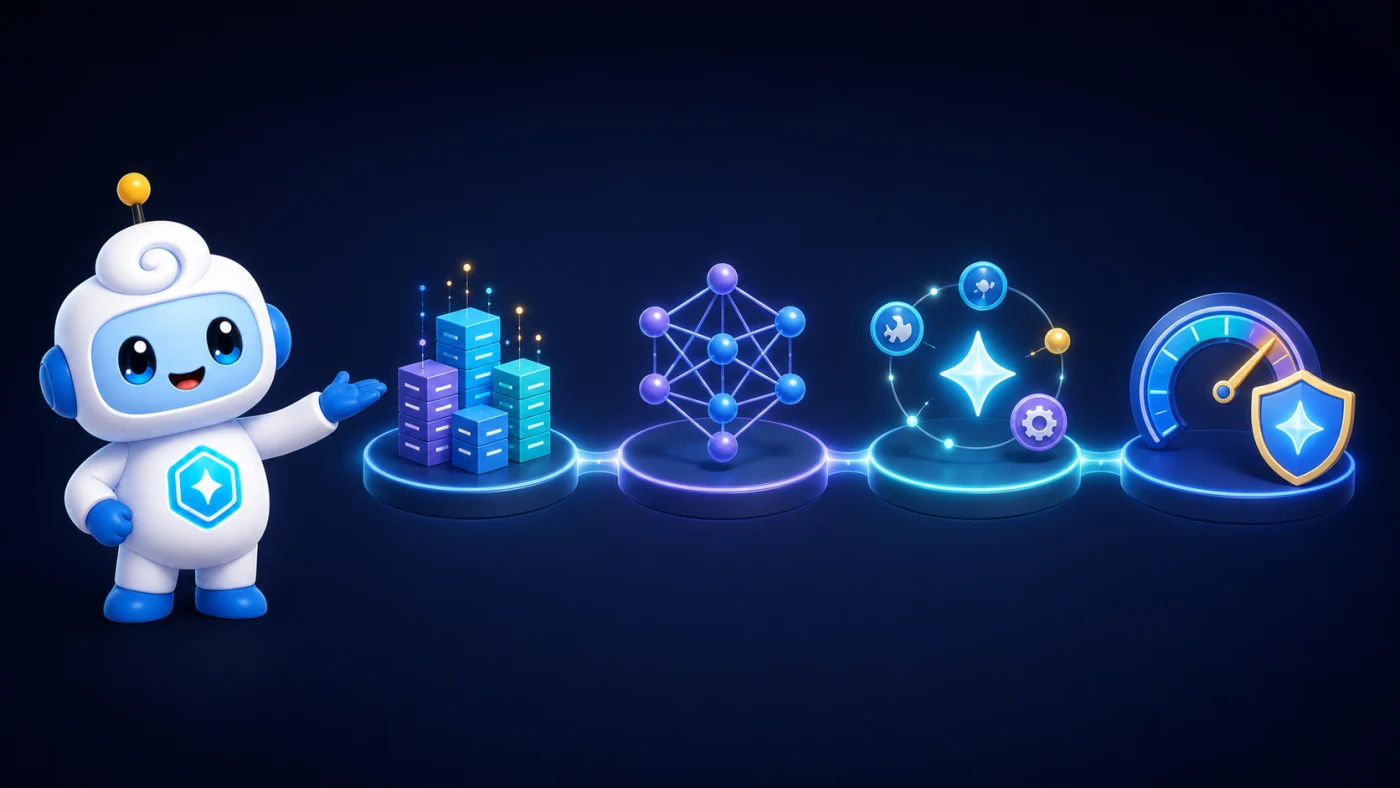
AI & agent skill mapDataModelsAgentsResponsible AI
Identify AI concepts and capabilitiesPublished weight 40–45%
252 exam-scoped practice questions in the app
Explore Concepts topics
Describe principles of responsible AI
Identify AI model components and configurations
Identify AI workloads
Tests whether you can match a responsible AI principle, a model capability, or a workload to a short scenario.
Candidates blur agentic AI with plain generative AI, or mix up two of the six responsible AI principles.
Learn each of the six principles by the specific harm it addresses, not as a memorised list.
Implement AI solutions by using Microsoft FoundryPublished weight 55–60%
320 exam-scoped practice questions in the app
Explore Implement topics
Implement generative AI apps and agents by using Foundry
Implement AI solutions for text and speech by using Foundry
Implement AI solutions with computer vision and image-generation capabilities by using Foundry
Implement AI solutions for information extraction by using Foundry
A short Python snippet gets matched to the Foundry feature it calls, and that mapping is the real skill on show.
A familiar service name doesn't guarantee you can trace what its SDK call actually does.
Practise tracing what a snippet's client call deploys, sends, or extracts before you pick an answer.
Common traps
Where AI-901 candidates slip
Three recurring misconceptions that trip up otherwise well-prepared AI-901 candidates, grounded in the current skills outline.
Knowing a service name isn't the same as reading the code
Candidates who can name Azure AI Language often can't follow a short SDK snippet that deploys a model and reads its response.
Scenario questions expect you to trace what a snippet's SDK call actually deploys or returns.
Practise reading short SDK snippets end to end, past the import line and the service name.
Responsible AI's six principles aren't interchangeable labels
Fairness, transparency, and accountability describe different failure modes, and stems often test whether you know which one applies.
The exam is testing whether you can match a described real-world harm to the specific principle it breaches.
Learn each principle by its own failure mode, not as a flat list of six similar-sounding words.
Generative and agentic AI aren't the same workload
A single-agent Foundry solution that plans and calls a tool is agentic even though it also generates text.
Telling a text-generating workload apart from one that decides and acts is the actual distinction being scored.
Ask whether the system only produces content or also plans and executes multi-step actions on its own.
Designed for AI-901
How Azure Mastery helps you pass AI-901
Exam-specific practice
572 AI-901 practice questions, each mapped to the 15 April 2026 concepts and Foundry outline.
Five finer study tags — concepts, machine learning, vision, language, generative AI — sit under Microsoft's two areas.
Questions rehearse reading a short Foundry Python snippet, exactly what the current outline expects.
Predicted score
Exam IQ predicts your AI-901 score on-device after about 30 questions, with a confidence range attached.
Foundry implementation carries well over half the exam, so early predictions weigh those questions most.
See exactly which topic, a responsible AI principle or a Foundry feature, is holding your score back.
Adaptive study plan
Miss a responsible-AI or workload-recognition question and the same domain resurfaces next session.
Master a topic across three sessions and the plan stops repeating it.
Sessions chase the gap to a 700 pass score, not raw question volume.
Knowledge decay
AI-901's two assessed areas lean on each other, so a forgotten principle makes Foundry questions harder too.
A padlock icon flags a topic approaching decay before you actually forget it.
Weak-spot drills pull from decayed topics first, ahead of anything new.
Exam rehearsal
Practise a full 45-minute session with flag-and-review switched off, matching the real fundamentals clock.
The question mix follows the published 40–45% and 55–60% domain weights.
Every rehearsal question is original, written to the outline rather than copied from Microsoft's exam.
Answer Coach
Corrects a mislabelled responsible AI principle immediately, naming the one the scenario actually describes.
Explains why a workload counts as agentic rather than simply generative, and the rule to apply next time.
A supported device can reword a note on-device, always checked against the written guidance first.
Aura guidance
Aura adjusts what it suggests as your first week of AI-901 sessions plays out.
Get a short recap after each session naming what improved and what to study next.
Private by design
Your AI-901 answer history, readiness gauge, and Answer Coach notes stay on-device by default.
The app needs no account and no server to process your study data.
Turn on iCloud sync only if you want a private backup across devices.
6-week study plan
Suggested AI-901 study plan
Build AI foundations, then practise with Foundry models, agents and multimodal tools. Connect each Python example to its purpose as you follow this six-week route.
AI models and responsibility
Review the six responsible AI principles.
Understand generative models and compare their capabilities.
Explore deployment options and configuration parameters.
Recognise AI workloads
Compare generative, agentic, vision and speech workloads.
Review extraction, entities, sentiment and summarisation.
Revisit workload categories you find difficult to distinguish.
Foundry models and agents
Write system and user prompts; deploy and test a model.
Build a lightweight chat client with the Foundry SDK.
Explore a single-agent solution and its client app.
Text, speech and vision
Build text-analysis apps.
Explore spoken prompts and Azure Speech in Foundry Tools.
Interpret visual input and generate visual outputs.
Information extraction
Extract structured data from documents, images, audio and video.
Connect Content Understanding outputs to a lightweight app.
Read Python examples and identify the Foundry resources they call.
Review and rehearse
Use Domain Proficiency and Focus Weak Spots to target gaps.
Complete two timed, 45-minute Exam Simulator sessions.
Review mistakes across both assessed areas before planning further study.
Inside the app
Nine interactive practice formats, on iPhone
Azure Mastery has nine interactive formats for exam practice. The examples below show original AI-901 practice questions in Azure Mastery on iPhone and iPad. The exam simulator uses timed sessions with the published domain weights. Microsoft's live interface and question mix may differ.
How many principles are included in Microsoft's Responsible AI framework?
8
6
4
5
Multiple choice
An original AI-901 practice question with one correct answer. The app explains every option after you answer.
Exam-specific sample
Which models are available through Azure OpenAI Service? (Select all that apply)
Text-embedding-ada-002
DALL-E
GPT-4o
Whisper
Azure SQL
Multi-select
An original AI-901 multi-select question. Select all the correct options to earn the mark.
All-or-nothing
Order the steps to use a generative AI model in Microsoft Foundry.
⋮⋮1Choose a model from the catalog for your task
⋮⋮2Deploy the chosen model
⋮⋮3Test the model in the playground
⋮⋮4Integrate the model into your application
Drag-and-drop
An original AI-901 ordering question you can answer by touch on iPhone and iPad.
Interactive item
You are reviewing a diagram showing the relationship between AI concepts. Select the concept that is the most specific subset in the hierarchy.
Hotspot
An original AI-901 question with a visual prompt, designed for touch on iPhone and iPad.
Tap target
Azure AI Service Selection Azure AI Language provides a suite of NLP capabilities suited to this pipeline. Language Detection identifies the written language and returns a locale code. Named…
1Which service feature should return the source locale and ISO language code for…
2Which service feature should pull structured fields such as customer name, order…
3Which service feature should score the customer's tone as positive, negative, or…
4Which service feature should learn department labels from example tickets and…
Case studies
An original AI-901 case study with several questions about the same requirements and environment.
Multi-question
✕Your answer: 8
✨ Answer Coach:Eight overstates the count. Microsoft's framework defines six named principles, not eight.
— grounded in authored certification guidance
Answer Coach
Answer Coach explains why the answer is correct and, where available, why each option is right or wrong. It helps you understand a mistake and remember the distinction. Read explanations after each question or at the end of a practice test. On supported devices, optional AI can reword a note on your device after checking it against the written guidance.
App exclusive
Frequently asked
AI-901 FAQs
AI-901 vs AB-900 — which fundamentals exam do I need?
Different subject matter, same tier. AB-900 covers Microsoft 365 Copilot and agent administration; AI-901 covers AI concepts and building AI solutions with Microsoft Foundry. Take AI-901 if you're heading toward building or evaluating AI solutions, AB-900 if you're administering Copilot and agents.
Did AI-901 replace AI-900?
Yes. AI-901 replaced AI-900 on 1 July 2026, and AI-900 can no longer be scheduled. AI-901 remains the route to the Azure AI Fundamentals credential, with a more implementation-oriented focus on Microsoft Foundry and Python.
What should I take after AI-901?
Choose the role-based exam that matches how you build agents. AI-103 covers code-first AI apps and agents with Python and Microsoft Foundry. AB-620 covers integrated agents built with Copilot Studio, Power Platform, and Microsoft 365.
What format is the AI-901 exam?
Fundamentals exams follow Microsoft's general 40–60 question guidance, with formats varying by sitting. Azure Mastery's AI-901 bank weights single-answer questions heaviest, with multi-select, drag-and-match, and hot-area items alongside linked case studies for the Foundry-heavy topics.
Does the free tier cover any of AI-901's question bank?
Yes. The app is free to download and includes a free allowance of AI-901 questions so you can try every feature. The full bank of 572 AI-901 practice questions unlocks with a one-time exam-pack purchase, or unlock every exam with a subscription or lifetime upgrade.
Can I resit AI-901 immediately if I fail?
Not immediately, and each attempt needs its own voucher.
First retake: after 24 hours.
Second and third retakes: a 14-day wait each.
Cap: five attempts per rolling 12 months.
Is there a cost to sitting AI-901?
Microsoft prices AI-901 according to the country or region where the exam is proctored. Check the official scheduling page for the current local price before booking.
Can I study AI-901 on a plane with no signal?
Yes. AI-901 practice, scoring, and your readiness prediction run entirely on-device, so a flight or a dead-zone commute doesn't cost you a session. There's no account to create, and iCloud sync stays optional and private.
Does an AI-901 pass ever expire?
No. AI-901 earns the Microsoft Certified: Azure AI Fundamentals credential, and Microsoft Fundamentals certifications never expire.
How much revision time does AI-901 need?
Allow several weeks for concepts plus hands-on practice. The outline expects core cloud knowledge, familiarity with Azure resources, and comfort reading Python syntax that calls AI models. Azure Mastery's readiness gauge helps you decide when to book.
Free study guides
Free guides that pair with AI-901
Where AI-901 fits
Certification paths that include AI-901
AI-901 replaced the retired AI-900 exam and is now the route to Azure AI Fundamentals. From here, choose a current role-based path based on whether you build code-first agents in Microsoft Foundry or integrated agents in Copilot Studio.
AI-901 is the current Azure AI Fundamentals exam. The current role-based next steps are AI-103 for code-first Azure AI apps and agents, or AB-620 for integrated agents in Copilot Studio.
Ready to pass AI-901?
Download Azure Mastery free. 572 AI-901 practice questions across both assessed areas, AI score prediction, full-length exam simulator, adaptive study plan. iPhone & iPad.