Make a concept click.
Find a term, compare concepts or revisit a reviewed explanation. Source cards help you check the material behind the response.
“What’s the difference between an NSG and Azure Firewall?”
 Azure Mastery
Download
Azure Mastery
Download
NEW IN 2.0 ASK AURA PREVIEW
Azure Mastery’s private study companion. Start with reviewed exam material and your on-device priorities, then choose a focused next step.
For Pro members · Generative explanations are not enabled in this preview.

On your Mac?
Scan with your iPhone to install.

A useful place to start
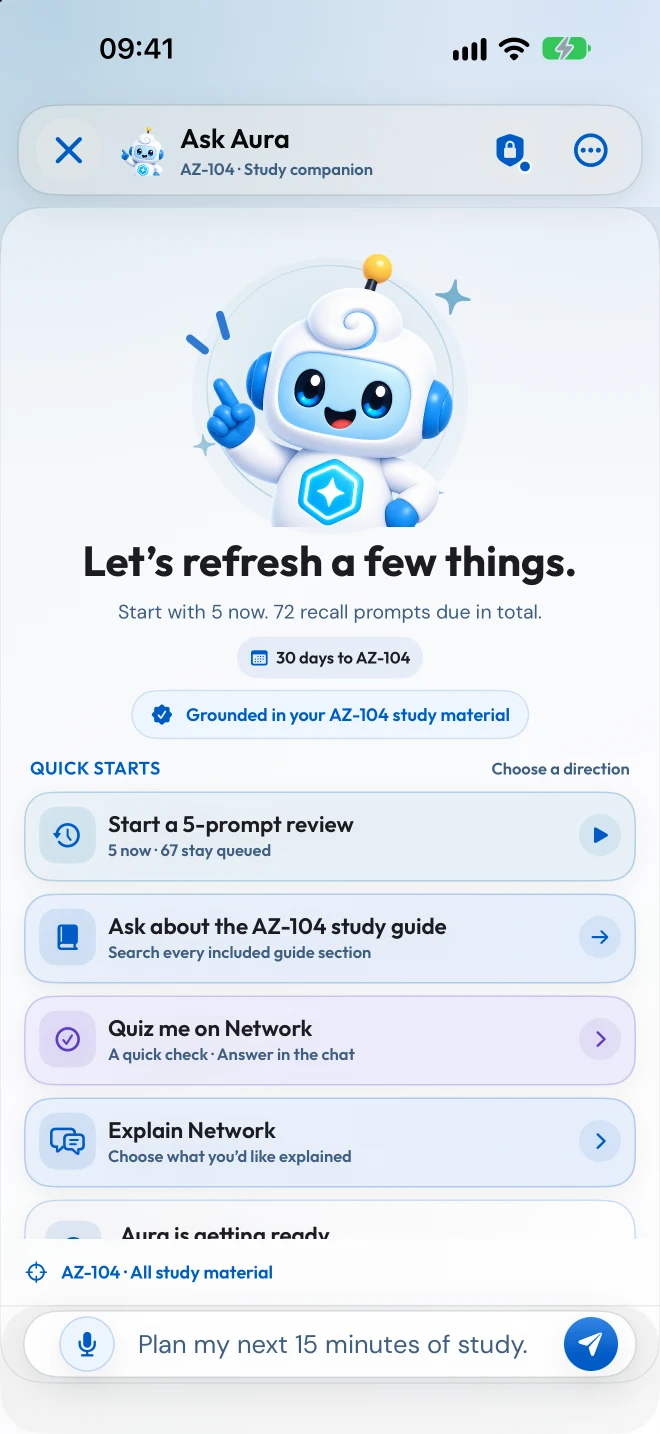
Start with the topic in front of you, or let your study priorities guide the session.
Find a term, compare concepts or revisit a reviewed explanation. Source cards help you check the material behind the response.
“What’s the difference between an NSG and Azure Firewall?”
Quiz yourself on a topic or work through a reviewed practice question. Keep the reasoning in view as you build understanding.
“Quiz me on networking.”
Use Exam IQ priorities, weak areas and due recall prompts to choose a useful next step. Bring saved takeaways back when they’re due.
“Plan my next 15 minutes of study.”
Example starting prompts. The preview uses reviewed material; it does not generate open-ended explanations.
Meet your study companion
A closer look at the version 2.0 preview.

Plays on YouTube when you choose to watch. Watch on YouTube (opens a new tab)↗
From “what next?” to a next step
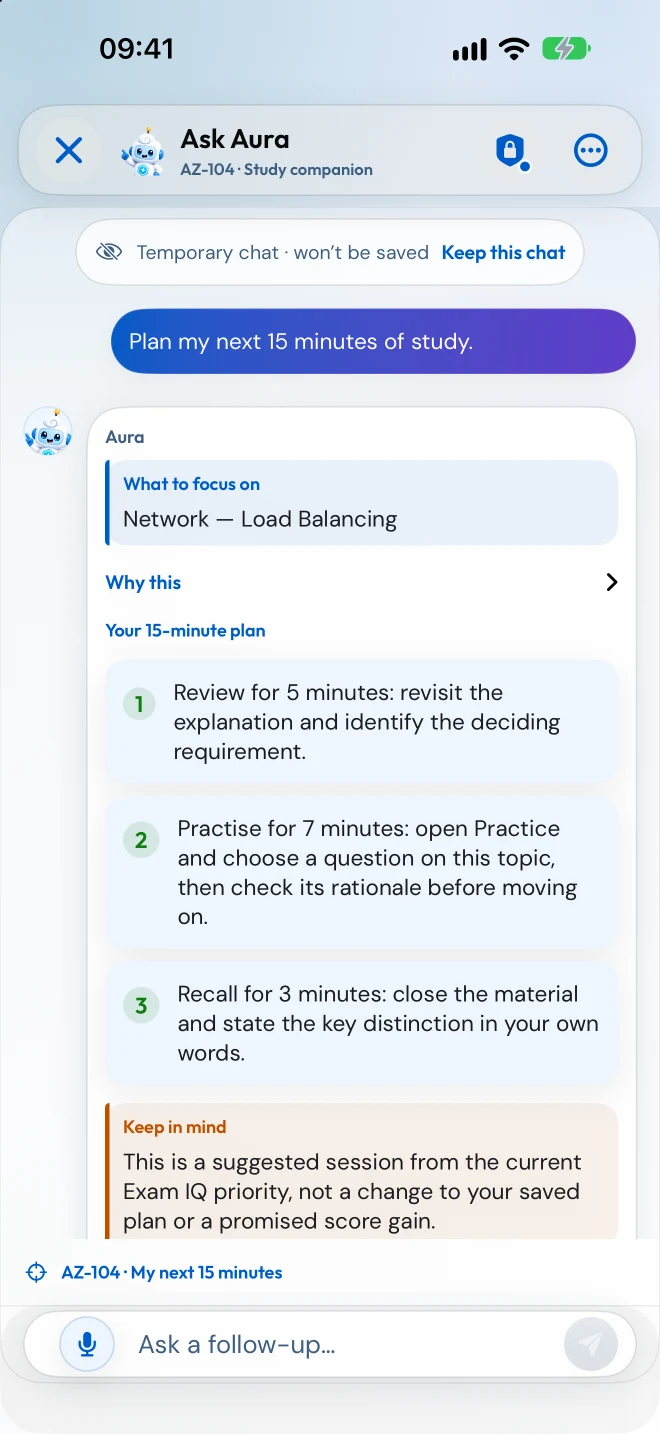
Aura can turn your current Exam IQ priority into a short session with a clear focus. Here’s one example from the app.
Revisit the explanation and identify the requirement that decides the answer.
Answer a question on the topic, then check the rationale before moving on.
Close the material and explain the key distinction. A small check that makes the session count.
Your study stays yours
Ask Aura starts with bundled study material and on-device insights. You choose whether to enable the optional Microsoft Learn connection.
Read the privacy details →Before you start
Ask Aura Preview is available to Pro members. Azure Mastery is free to download, with starter questions for each supported exam. You can compare the access options in the app before buying.
Generative coaching and explanations are not enabled in this preview. Aura starts with reviewed study-guide sections, terminology, question explanations and your on-device Exam IQ priorities. Check the cited source when accuracy matters.
The preview starts with bundled study material and on-device study priorities. Optional Microsoft Learn lookups need an internet connection and are off by default.
Saved Ask Aura conversations stay on this device and are excluded from app cloud sync and backups. Temporary chats are not saved. If you enable Microsoft Learn lookups, Microsoft receives only a public topic name or documentation address, not your message, answers or study progress.
Already using Aura? Get help with the preview →

Your next study session
Start free in Azure Mastery. Ask Aura Preview is included with Pro.